Onboarding takes weeks
New engineers reverse-engineer the architecture by reading code and asking around, because there's no accurate map of the system.
 tecture
 Written by your coding agent, reviewed in your pull requests, and kept in sync as the code changes.
Your code never leaves your environment — your own agent does the reading.
the skill writes the model · view it in VS Code or your browser
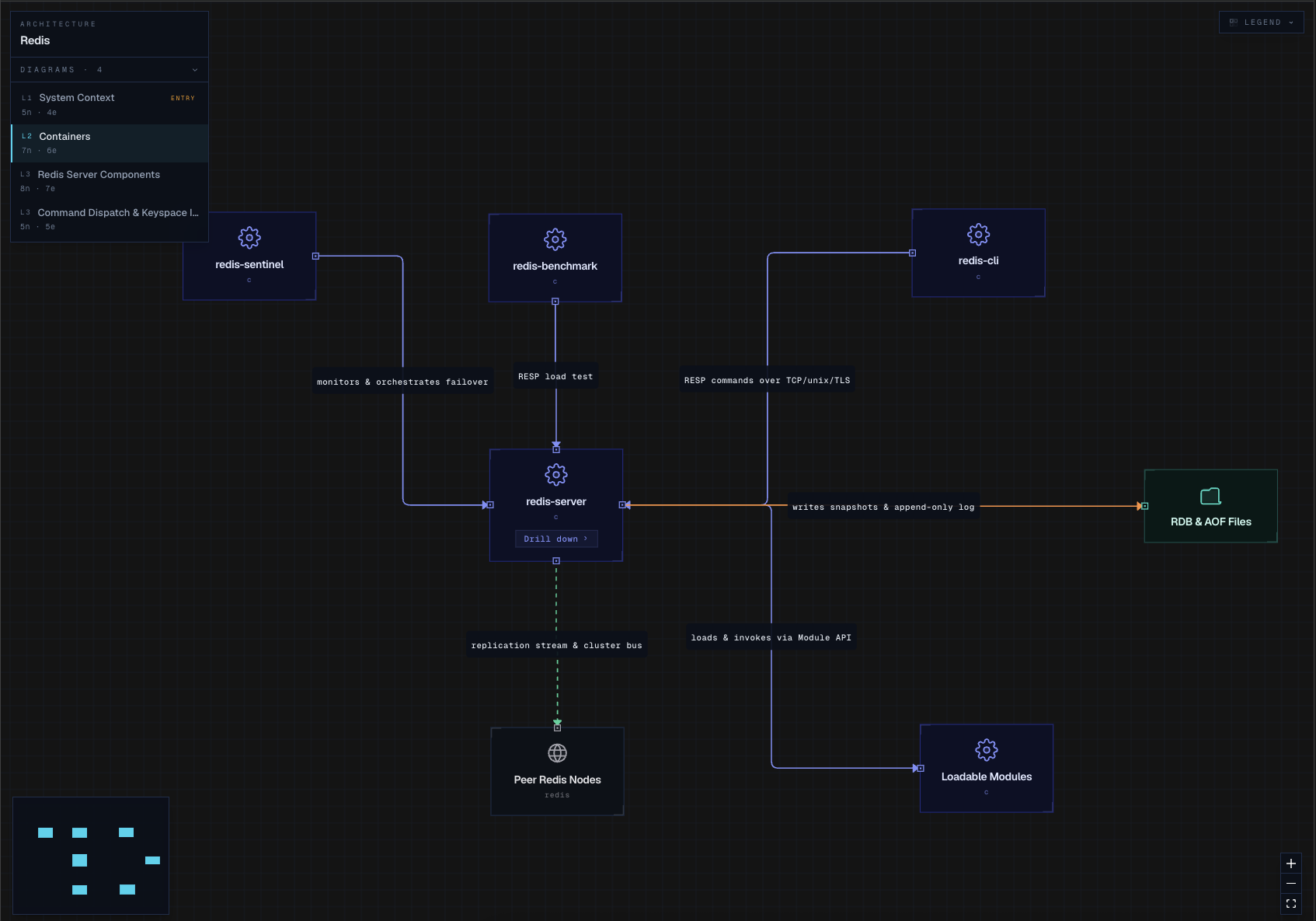
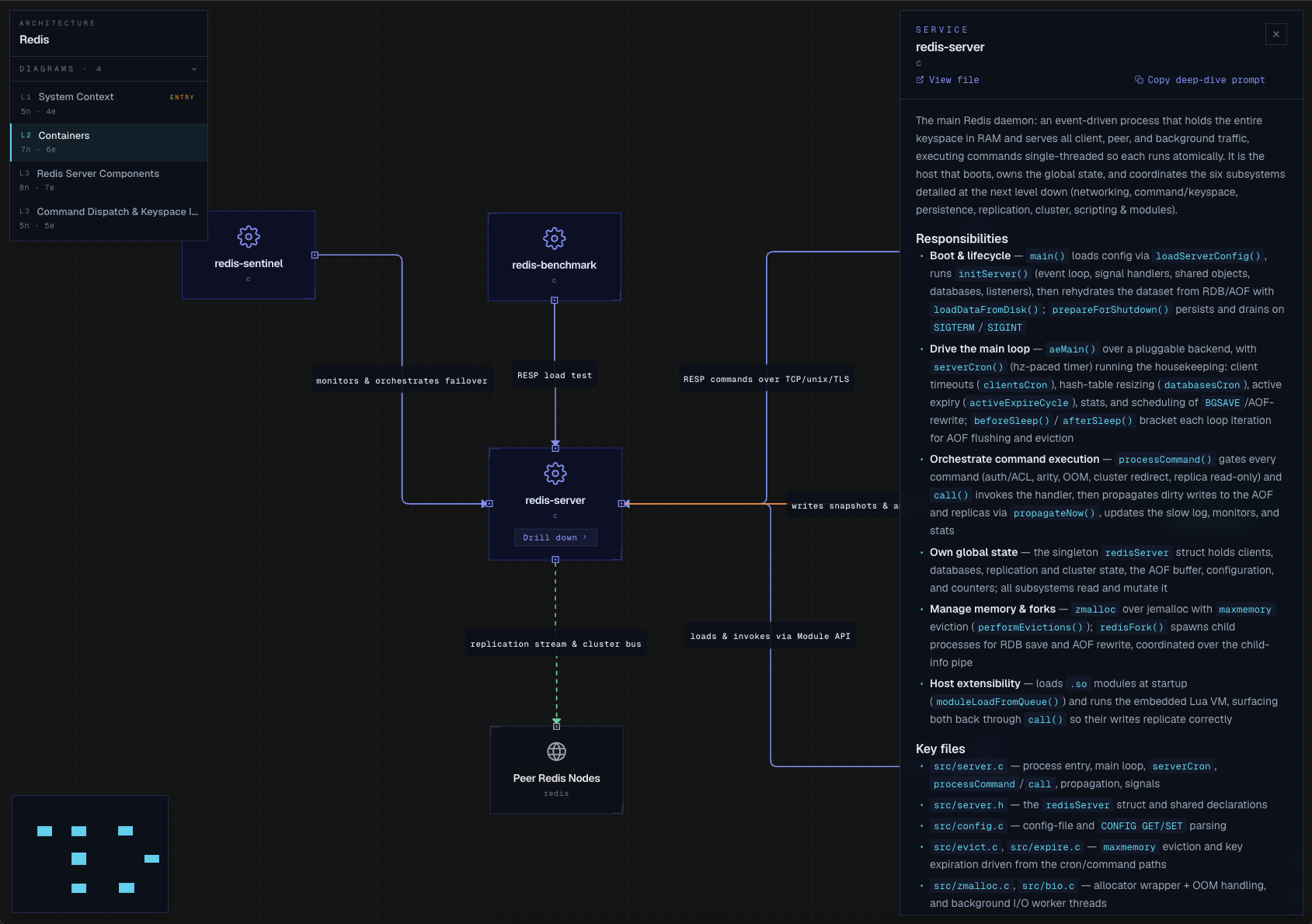
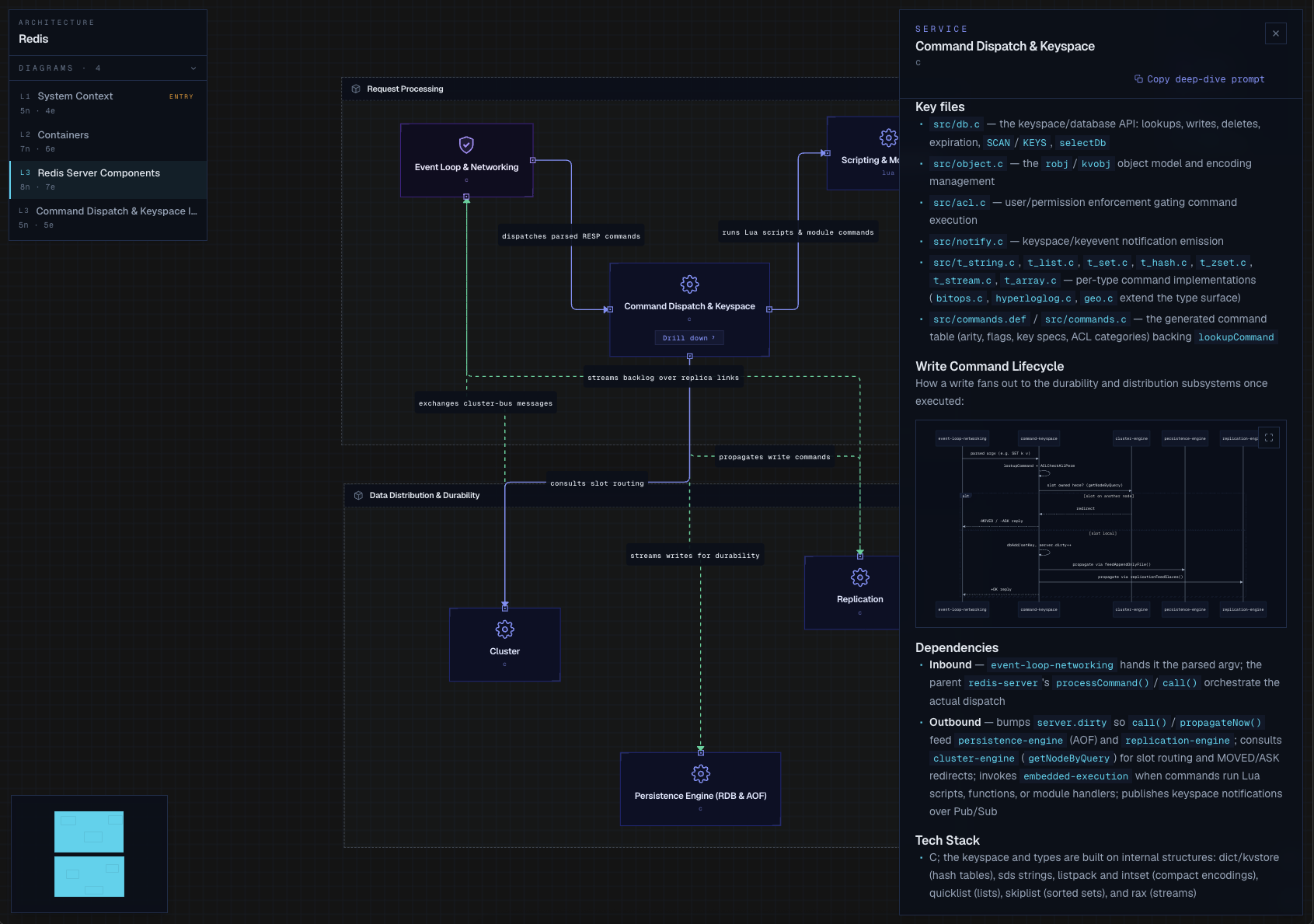
Watch Tecture map the Redis repository from system context down to containers, components, and files. Start broad, follow the relationships, then inspect the parts that matter.

Tecture does not ask you to maintain a separate wiki. Your coding agent reads the source and writes a file-based architecture model next to it — the structure is JSON, the explanations are Markdown. Changes show up in pull requests, where the team that owns the repo can review, correct, and improve them like any other code change.
Your agent reads the source and writes the architecture as JSON + Markdown, committed next to the code.
Opens those same files as an interactive, multi-level diagram you drill through — in the VS Code extension, or run npx @tecture/core to view it in any browser.
A coding agent can read source, but source alone rarely explains architectural intent: which boundaries matter, which modules own which jobs, and which shortcuts will cause pain later. Because Tecture stores the architecture model as plain files in the repo, your agent can read that model as context while it works — something better than scattered comments, stale notes, or unwritten tribal knowledge.
The model is agent-authored and human-verified in review. It is not magic — it is structured context your team can inspect, correct, and keep close to the code.
Architecture docs were always useful. They just rotted, because keeping them updated cost too much. Tecture makes the upkeep cheap enough to do inside the normal development loop.
New engineers reverse-engineer the architecture by reading code and asking around, because there's no accurate map of the system.
Without an up-to-date view of components and dependencies, every change risks breaking something nobody knew was connected.
Hand-drawn diagrams and wiki pages are stale by the next pull request. Nobody trusts them, so nobody updates them.
A diagram you can move through instead of a static page you read front to back — start at the system context, drill into containers and components, and follow them down to the files that implement them. Real screenshots of Tecture mapping the Redis repo.
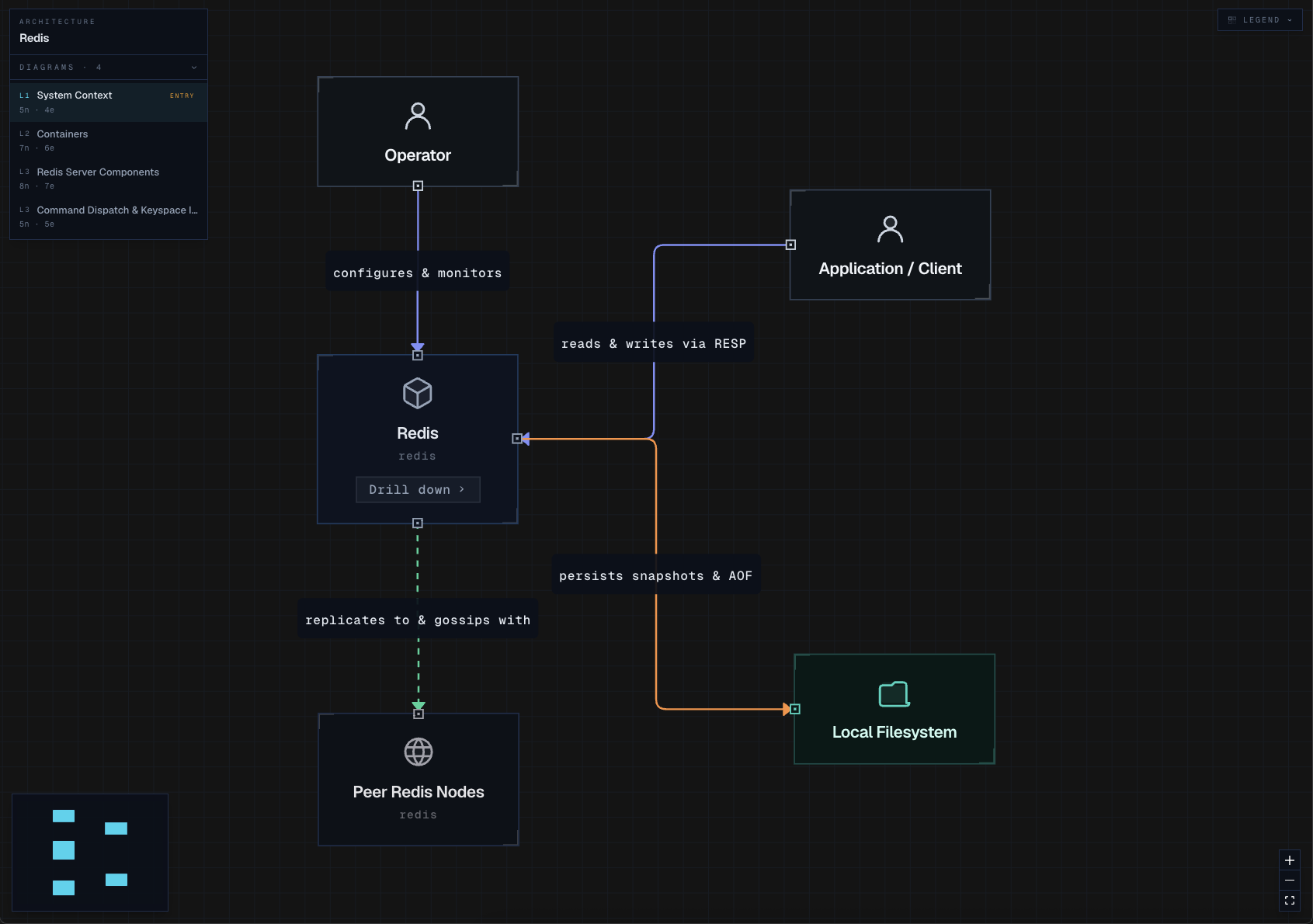
See how your whole system fits together at a glance.
Your coding agent reads the source and writes the architecture model as JSON and Markdown — the first pass costs you nothing.
The model lives beside the code, so it can be reviewed, versioned, and updated through normal development workflows.
Explore components, dependencies, and descriptions in VS Code or any browser.
The model is plain files in the repo, so your coding agent can load the approved architecture before it makes changes — grounded edits instead of guessed boundaries.
Architecture updates go through pull requests, reviewed and corrected by the team that owns the repo.
Your code stays in your environment — your own agent does the reading, and Tecture adds no new data paths.
MIT licensed and ready to inspect, from the skill to the viewer.
Tecture gives your team a fast, structured first pass at the architecture. It does not replace engineering judgment. Your agent can miss intent, misunderstand boundaries, or describe something too broadly — that is why the model lives in the repo: so the people who own the system can review it, correct it, and improve it over time.
Read the docs →Start with one codebase. Generate the model, review it with the team, then open the map and see what you have been carrying around in your head.
We're building cross-repo aggregation for teams — talk to us.